COMPANY
Home
Where We Build
About Us
Contact Us
Vendor Inquiry

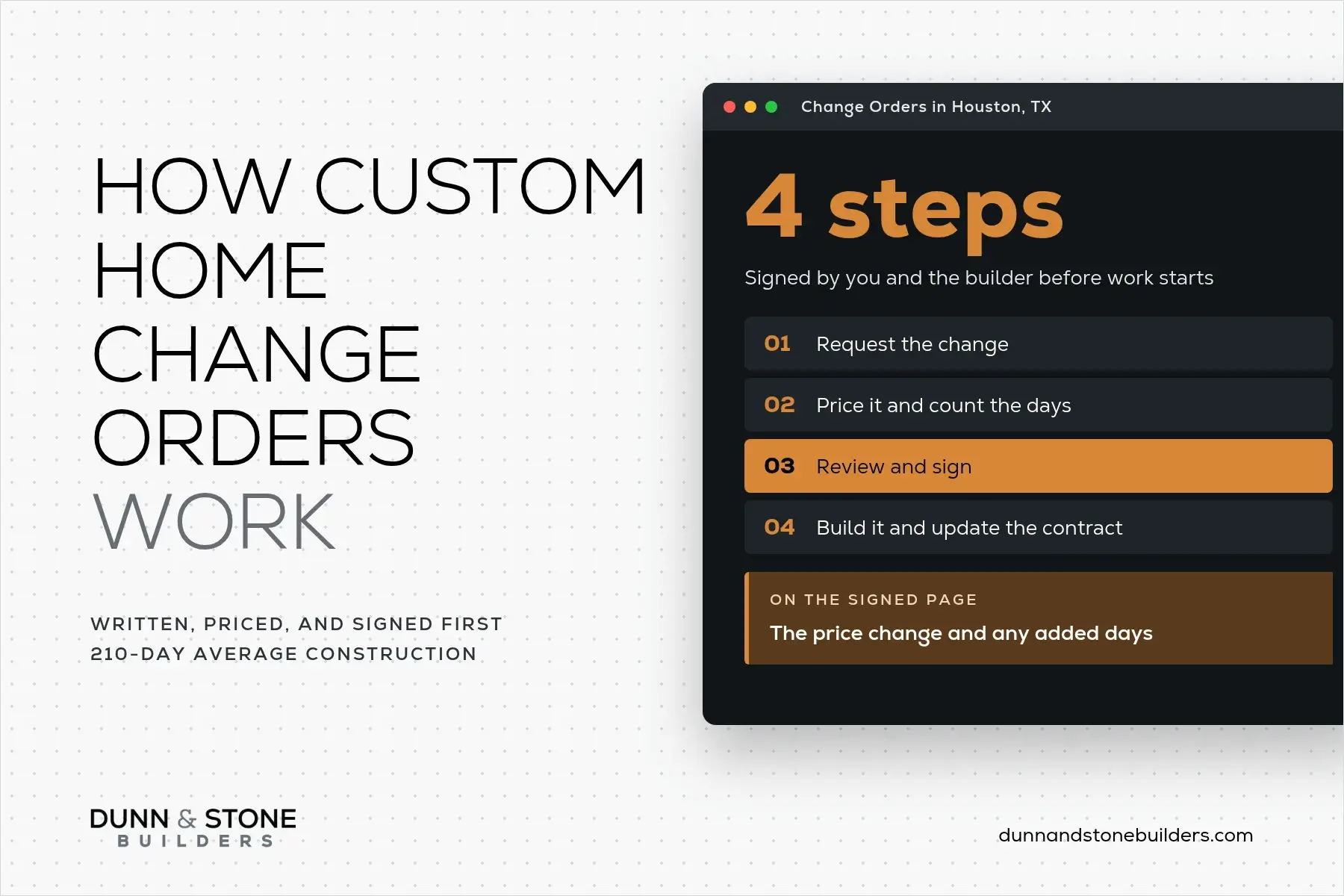
A custom home change order is a written agreement, signed by you and your builder, that changes the scope, price, or schedule of your contract after you sign it and before that work begins.
Signing a fixed-price contract is a big moment. The house, the number, and the plans finally line up. And then a new idea shows up on a walk through the framing.
Our goal at Dunn & Stone is for your final closing number to match your final contract exactly. We do this by walking through each step and decision carefully with you during the design phase. We don't silence you, we listen well at the beginning so that the process goes smoothly.
Change orders still have a place, though, and once you know how they work, they're much easier to handle.
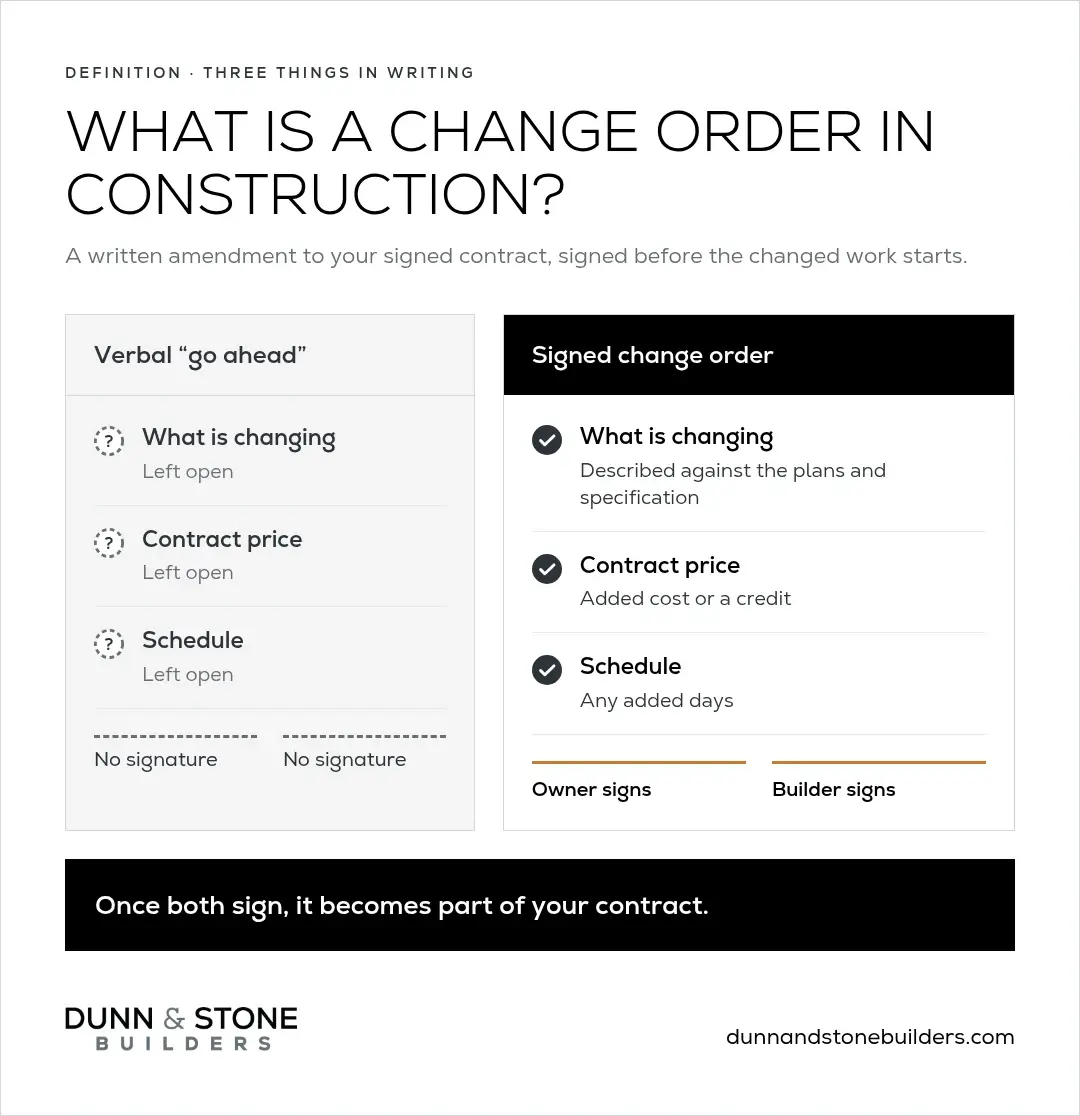
A change order in construction is a written amendment to a signed building contract that adds, removes, or changes work and records the effect on price and schedule. Both the owner and the builder sign it, and on a home build that should happen before the changed work starts. Once signed, it becomes part of the contract.
On a custom home, that usually means a feature, a finish, or a piece of site work that differs from the plans and the written specification you signed.
A change order covers three things in writing:
A verbal go-ahead on the job site leaves all three open. The signed page protects you, and it protects your builder too.
Most custom home change orders fall into one of three types: owner-directed, site-driven, or code-required.
Owner-directed changes are the ones you choose. On our builds, they're typically where our change orders come from.
The biggest one I see is a family deciding to add a feature they had decided against during design. Sometimes their circumstances changed. Sometimes they simply want it done before they move in. Either way, it's your home and your call. The change order just puts the added cost in writing first.
A finish upgrade works the same way. Picking a countertop or tile in a different price range than the one in your contract goes through a change order. We don't use allowances, so the selections in your contract are spelled out from the start.
Site-driven changes come from the ground under the house. A good contract names the site conditions nobody can confirm until work starts, such as soil, slope, or drainage, and lists them as unknown.
When one of those conditions turns out to need work, that work is built through a change order. Conditions the contract already priced stay inside the contract number.
This is one reason a homesite evaluation comes so early in our process. The better we understand the lot before design, the fewer unknowns the contract has to carry.
Code-required changes happen when an inspection or a building code requirement calls for work the plans didn't show.
They follow the same path as every other change: written, priced, and signed before the work is done. Your contract should set out how these changes are handled, so it's worth reading that section with your builder before you sign.

A fixed-price contract ties one construction number to a dated plan set and a written specification. That number holds for the work those pages describe.
It can still change when you add work or hit a site condition the contract listed as unknown. Material or labor price increases on work that was already specified stay with the builder.
So a fixed price and a change order work together. The fixed price protects the scope you signed, and the change order is the only path for anything new. Each signed change order updates the contract, which stays the single number you close on.
For what the contract price includes, and what it leaves out, see what's included in a fixed-price custom home contract. For the other costs families don't always plan for, see the hidden costs of building a house.
If your build is financed, let your lender know about any change that adds cost or days, because it changes what the construction loan needs to cover. Some construction loans require the lender to approve change orders, so ask yours how it handles them.

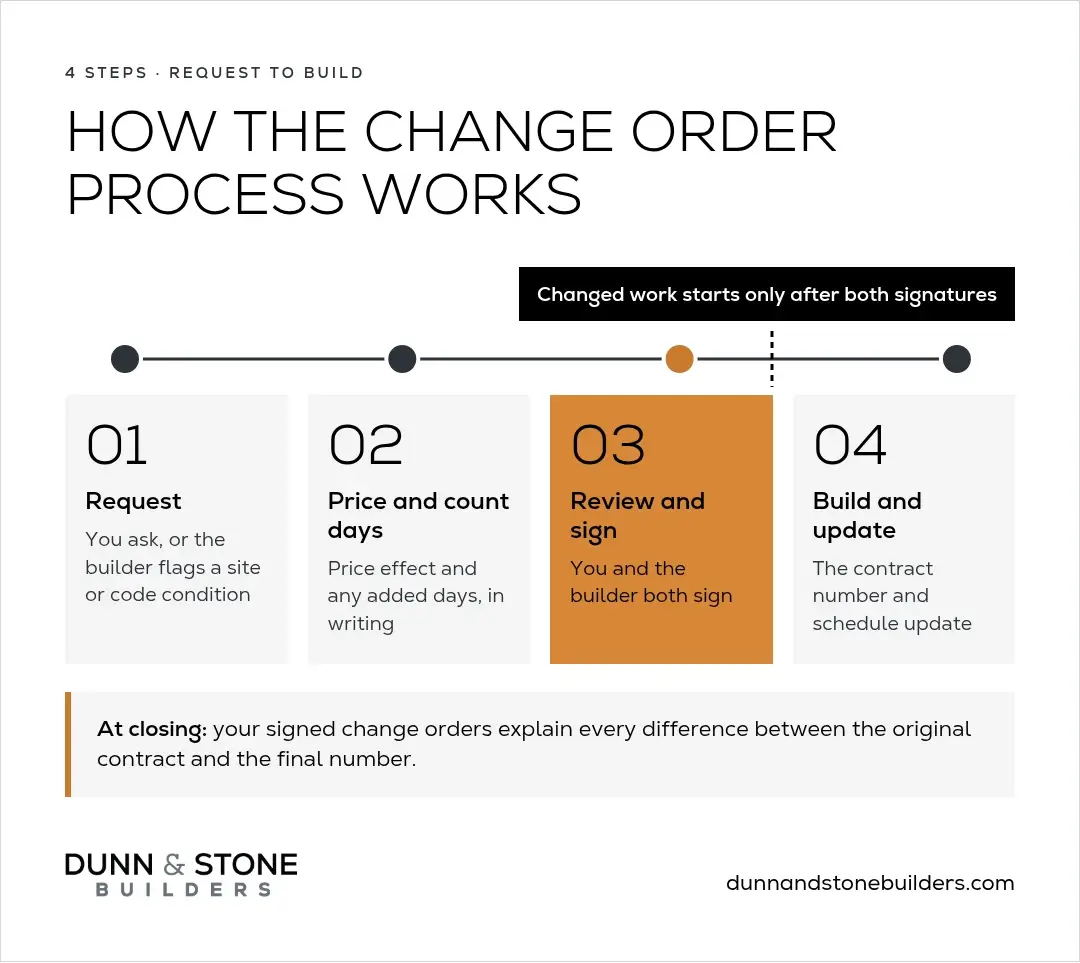
The change order process has four steps: request, price and schedule, sign, then build.
That includes small requests on the job site. If you see the electrician on site and ask for one more outlet, the crew can only build what's in the paperwork, so the request still goes through a change order.
Keep every signed change order with your contract. At closing, those pages explain every difference between your original contract and your final number.
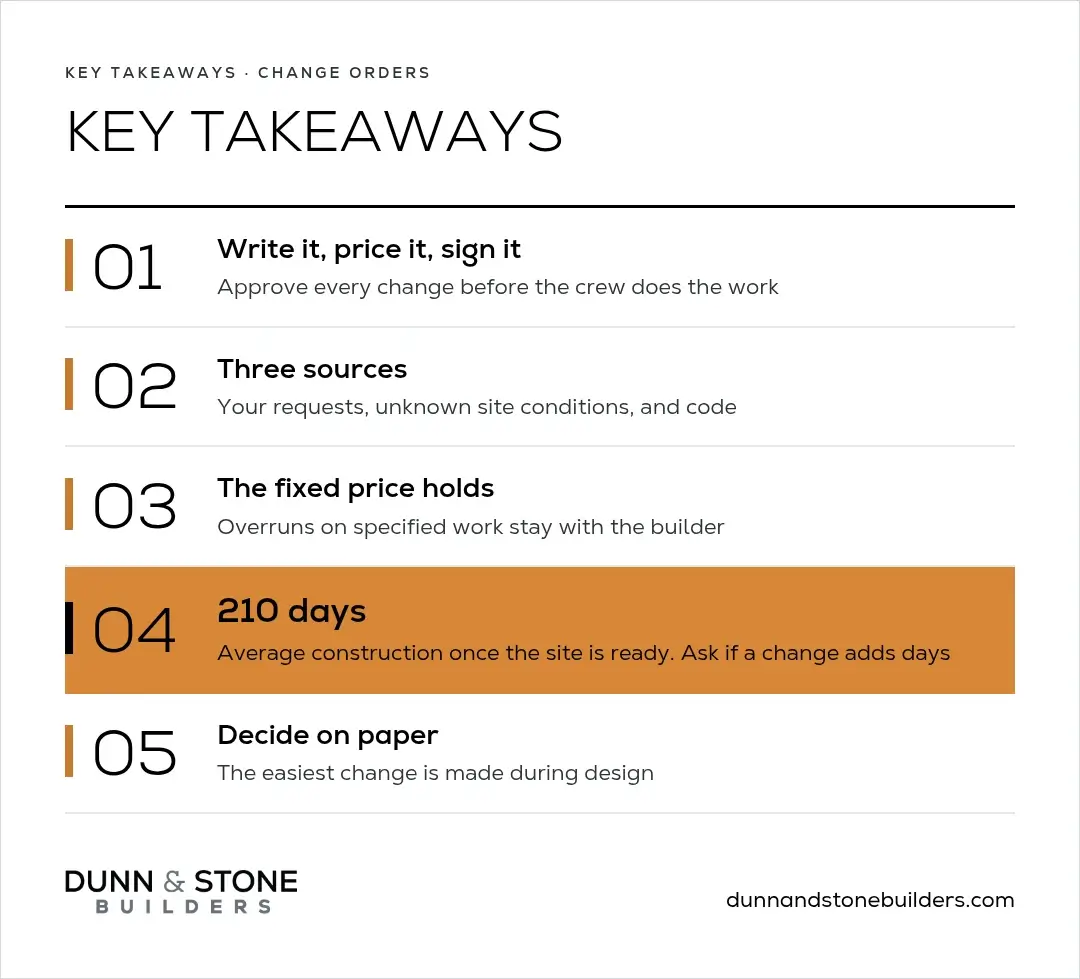
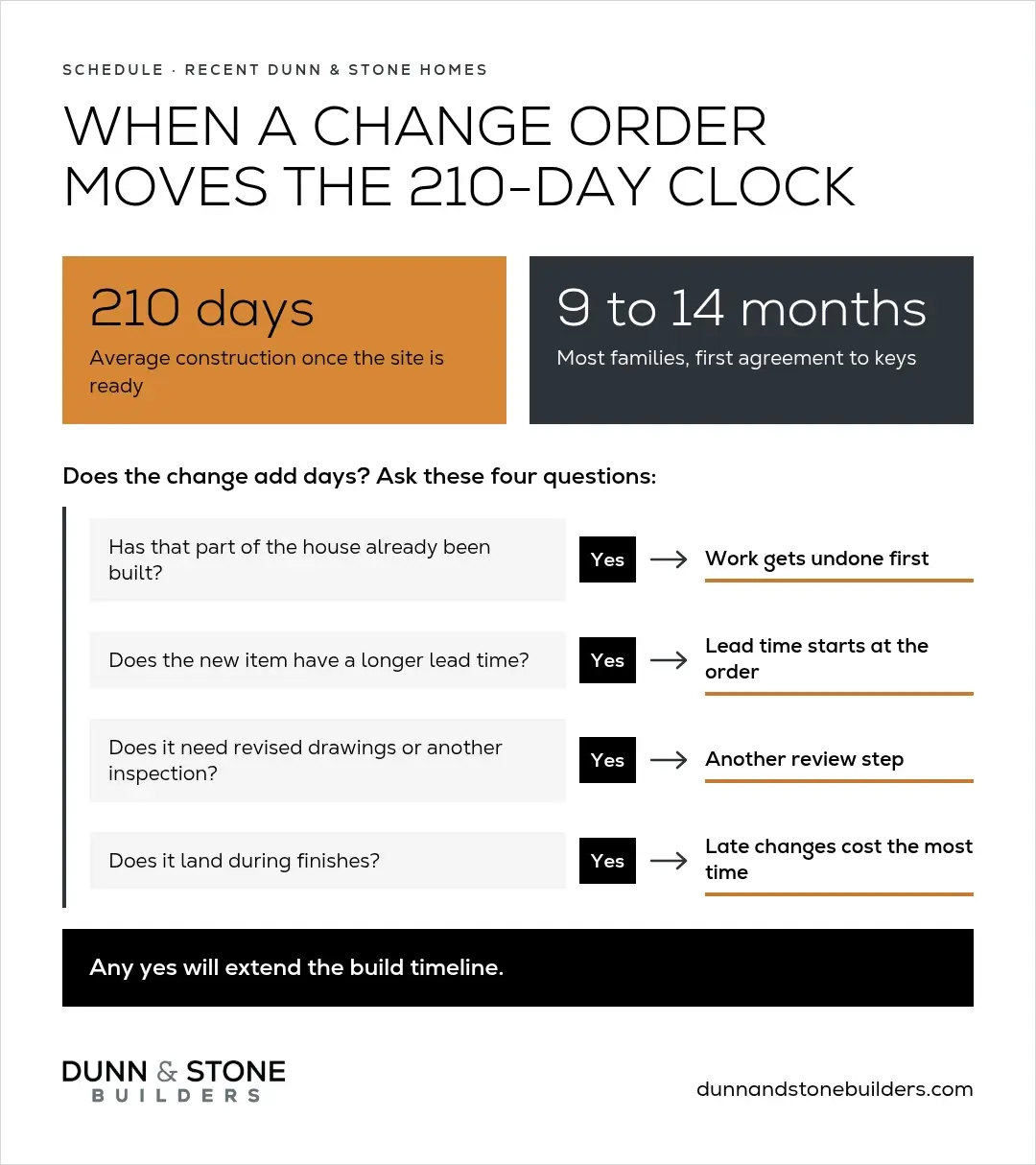
On recent Dunn & Stone homes, construction averages 210 days from start to delivery once the site is ready. From the first agreement to keys, most of our families are on a 9 to 14 month calendar.
A change order can add days to that construction clock, and the written change order should say how many before you sign.
These questions usually decide whether a change touches the schedule:
If the answer to any of these is yes, the change will extend the build timeline.
The change I see most often is a family asking for electrical changes right before sheetrock. Sheetrock has to wait, and then cabinets, countertops, plumbing, and electrical all move with it. Adding a few switches feels like one small thing, but it can push two or three trades behind it. How quickly a change gets decided and paid for has a lot to do with how long it holds the build.
Change orders after groundbreaking cost time and money. That's not a reason to worry, just a reason to ask early. A clear count of added days on the signed page keeps your move-in date honest.
For how the full calendar comes together, see how long it takes to build a house.
The best time to make a change is during design, while it lives on paper and no crew has to undo anything.

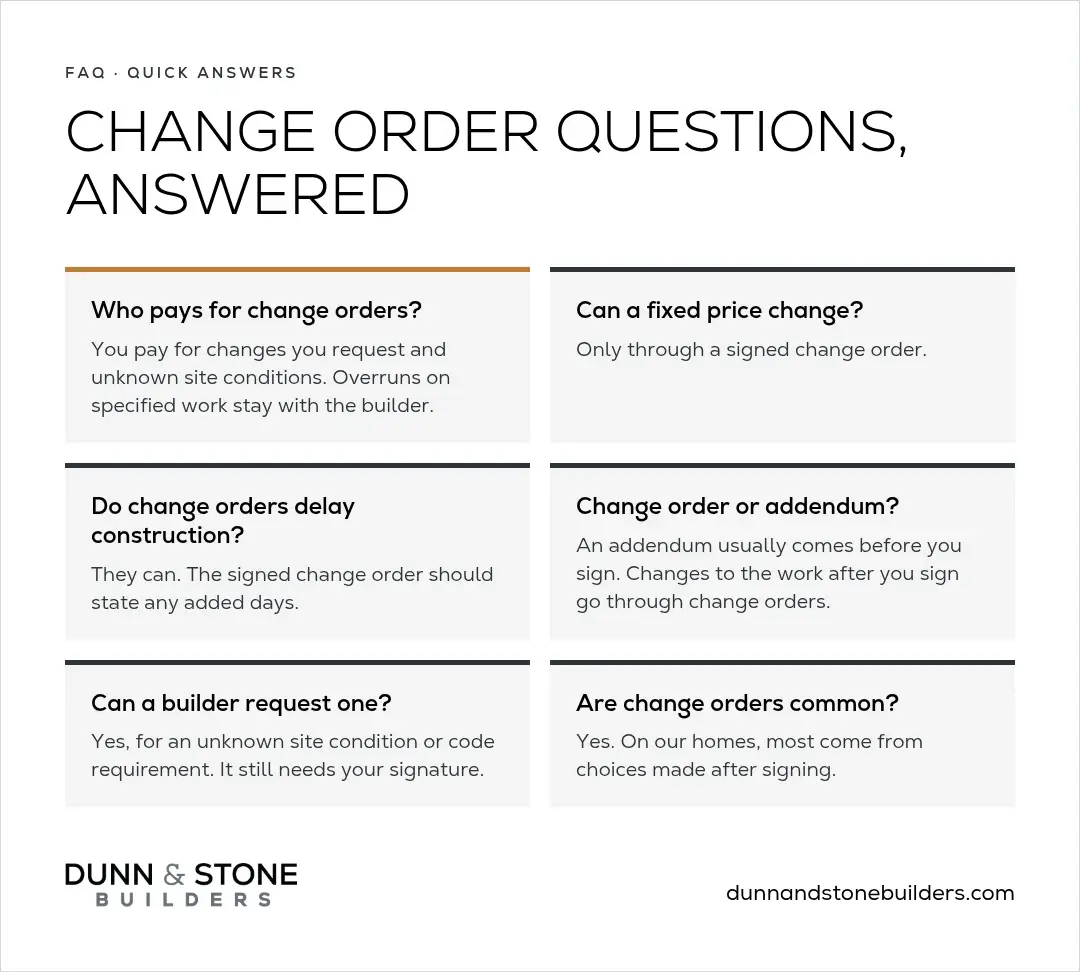
The homeowner pays for change orders they request, including upgrades, and for site conditions the contract listed as unknown. Cost overruns on work that was already specified in a fixed-price contract stay with the builder. Your contract should explain how code-required changes are handled.
A fixed-price contract can change only through a signed change order. That happens when you add work or hit a site condition the contract listed as unknown. The price for the work already in your plans and specification holds.
A change order can add days to construction, depending on what is already built, the lead time of new materials, and whether drawings or inspections need revisiting. The signed change order should state any added days. Changes settled during design have the smallest effect on the schedule.
A change order changes the work, price, or schedule of a signed construction contract, usually while the build is underway. An addendum is usually issued before the contract is signed, to clarify or adjust the plans and specifications while they are still being priced. The word is also used for a page that adds terms to a contract. On a custom home, changes to the work after you sign go through change orders.
A builder can start a change order when a site condition the contract listed as unknown, or a code requirement, calls for work the plans didn't show. The builder writes it up, and it still needs your signature before the work goes ahead.
Change orders are common across construction, and on our custom homes most of them come from choices a homeowner makes after signing. Settling design decisions before the final contract is the most reliable way to keep them few.
A custom home should feel exciting from the first sketch to the day you get your keys. Clear decisions during design, and a written change order for anything new, keep it that way.
We'd love to help you plan a home with the goal of closing on the same number you sign. Schedule a free consultation with our team, and we'll walk through your plans, your lot, and your questions together.

.webp)


